

The audit log stores operational metadata only—never SAML assertions, bearer tokens, or full SCIM payloads.
Viewing events
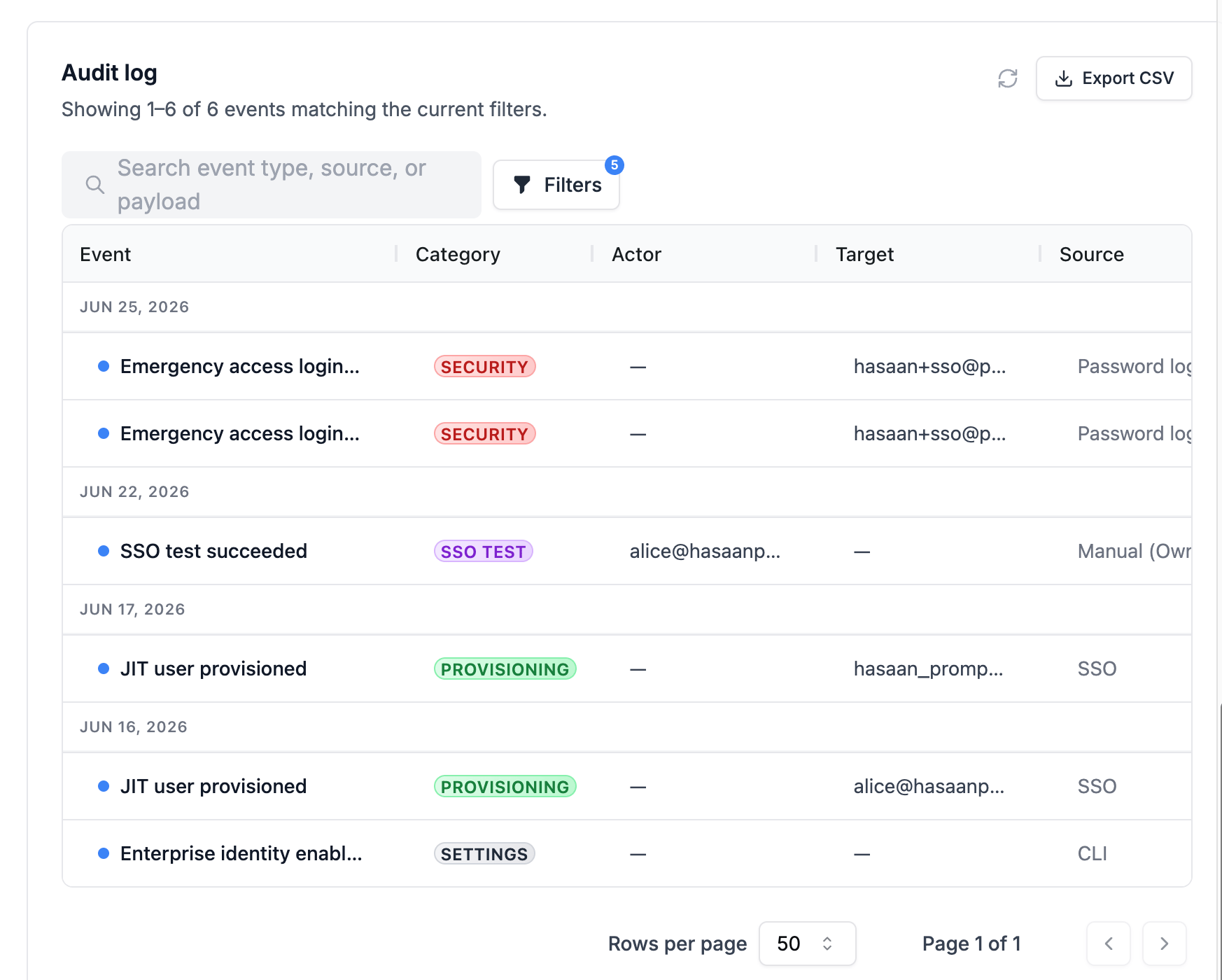
- Browse events in reverse chronological order
- Filter by event type, date range, and free-text search
- Open an event for full detail (actor, target user, workspace, WorkOS event ID, connection ID)
- Export filtered results to CSV
Event categories
SSO sign-in
SSO setup and testing
JIT provisioning
Directory Sync (users)
Directory Sync (groups)
Group mappings
Workspace access
Policy and settings
Break-glass and MFA
Operational triage
Retention and export
Audit events are stored in theidentity_audit_events table in your organization’s PostgreSQL database.
Cloud (PromptLayer-hosted): Events persist for the life of your organization unless PromptLayer applies a platform retention policy. Use Export to CSV in the dashboard for ad-hoc exports. Contact PromptLayer support for long-term retention or compliance questions.
Self-hosted: You operate the database. Audit data lives in your PostgreSQL instance alongside the rest of PromptLayer metadata—you control backup, retention, and archival policies. Export from the dashboard UI or query identity_audit_events directly for compliance reporting.