When a legacy Dataset or Evaluation page shows a migration banner, click Convert to Table. PromptLayer creates the Table from the legacy object and opens it so you can review sheets, rows, columns, scoring, and run status before moving production workflows.Use the conversion button first when it appears. Rebuild manually only when you are working from exports, logs, or a legacy workflow without the banner.
Create a Table, click Upload, choose From computer, then add computed columns and scoring in the same sheet.
Dataset from request history
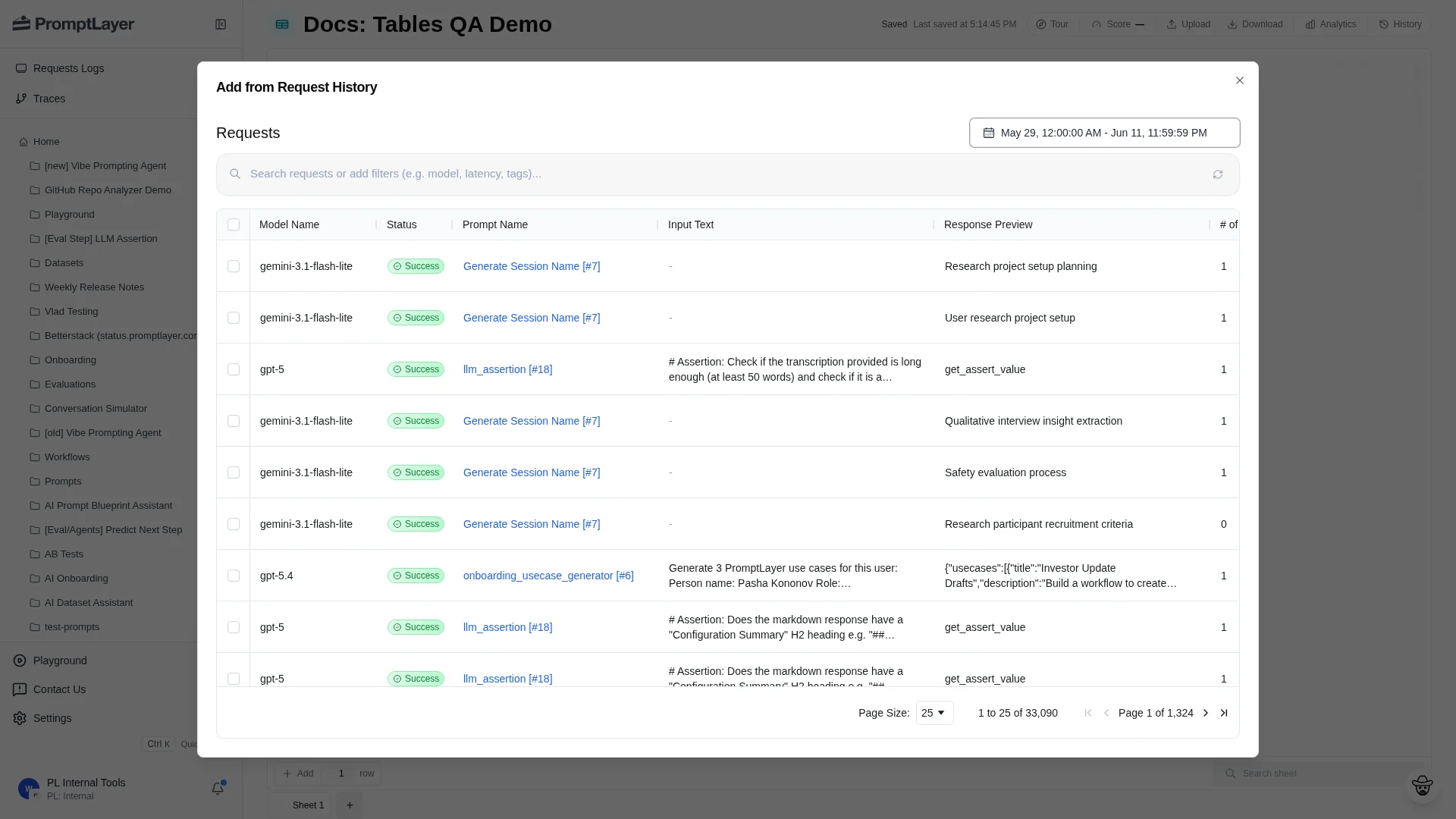
Create a Table, click Upload, choose From request history, select requests, then click Add to Sheet.
Evaluation pipeline
Put inputs in text columns, add one computed column for each evaluation step, map Prompt Template variables to source columns, run the computed columns, and configure scoring.
Report run
Run the Table, a computed column, or selected stale work. Inspect cells in place, then use Score, Analytics, and History to review results.
Migrate one workflow at a time. Review the generated Table before changing automation, confirm outputs and scores match the old workflow, then move automation to the Tables API. Keep the legacy workflow read-only until the Table is trusted.
Was this page helpful?
Assistant
Responses are generated using AI and may contain mistakes.